
Models & providers
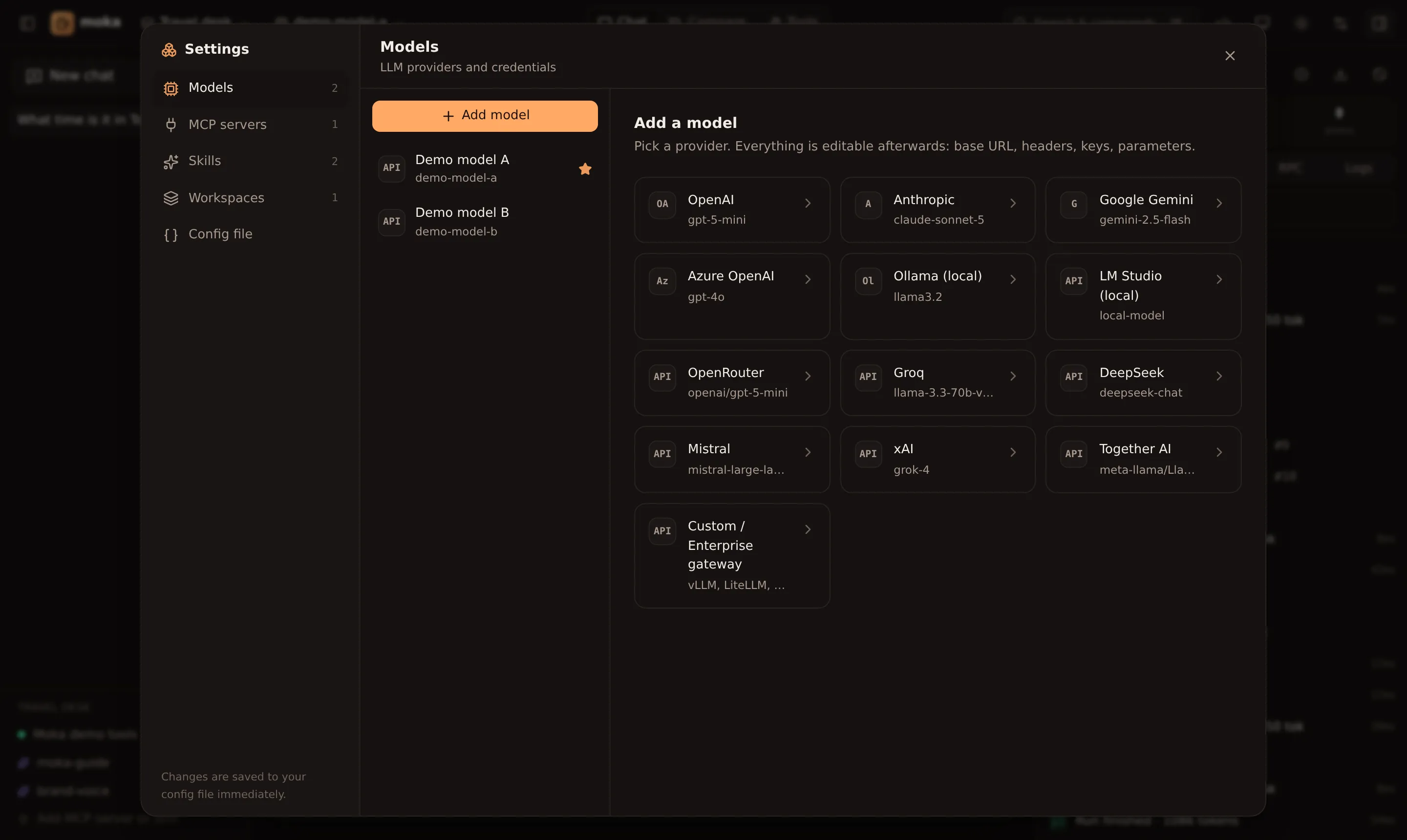
Add a model
Section titled “Add a model”- Open Settings → Models → Add model (or the model menu in the top bar → Add a model…).
- Pick a preset. A green key found badge means Moka already sees the right environment variable.
- Adjust the model name — or click Fetch models to list everything your key can access.
- Click Test. Moka sends a tiny prompt and shows the reply and latency.
The first model you add becomes the default for the active workspace. Switch models any time from the top bar.
Built-in presets
Section titled “Built-in presets”| Preset | Provider type | Key variable | Base URL |
|---|---|---|---|
| OpenAI | openai | OPENAI_API_KEY | default |
| Anthropic | anthropic | ANTHROPIC_API_KEY | default |
| Google Gemini | google | GOOGLE_GENERATIVE_AI_API_KEY or GEMINI_API_KEY | default |
| Azure OpenAI | azure | AZURE_API_KEY + AZURE_RESOURCE_NAME | from resource name |
| Ollama | ollama | — | http://localhost:11434/v1 |
| LM Studio | openai-compatible | — | http://localhost:1234/v1 |
| OpenRouter | openai-compatible | OPENROUTER_API_KEY | https://openrouter.ai/api/v1 |
| Groq | openai-compatible | GROQ_API_KEY | https://api.groq.com/openai/v1 |
| DeepSeek | openai-compatible | DEEPSEEK_API_KEY | https://api.deepseek.com/v1 |
| Mistral | openai-compatible | MISTRAL_API_KEY | https://api.mistral.ai/v1 |
| xAI | openai-compatible | XAI_API_KEY | https://api.x.ai/v1 |
| Together AI | openai-compatible | TOGETHER_API_KEY | https://api.together.xyz/v1 |
| Custom / Enterprise | openai-compatible | your choice | your gateway |
On first run, Moka creates a profile for every key it finds in your environment, plus Ollama if it’s running.
API keys
Section titled “API keys”You can paste a key or reference an environment variable:
| Value | Meaning |
|---|---|
sk-live-… | A literal key, saved to your config file (with 0600 permissions) |
env:OPENAI_API_KEY | Read from the environment at request time — never written to disk |
Bearer ${TOKEN} | Interpolate a variable inside a string (works in headers too) |
Enterprise gateways
Section titled “Enterprise gateways”Anything that speaks the OpenAI Chat Completions API works: vLLM, LiteLLM, Portkey, Kong, Azure APIM, AWS Bedrock Access Gateway, or your in-house proxy.
{ "id": "gateway", "name": "Company gateway", "provider": "openai-compatible", "baseURL": "https://llm.internal.example.com/v1", "model": "llama-3.3-70b", "apiKey": "env:GATEWAY_KEY", "headers": { "X-Team": "platform", "X-Request-Source": "moka" }}Native providers accept a baseURL override too, so you can route OpenAI or Anthropic traffic through a proxy while keeping their full feature set.
Advanced options
Section titled “Advanced options”Toggle Advanced in the model form:
- Temperature and Max output tokens — leave unset for provider defaults.
- Custom headers — sent with every request; values support
env:and${VAR}. - Use Chat Completions API (OpenAI only) — Moka uses the Responses API by default; switch for older models or proxies.
- Provider options (JSON) — passed straight through as AI SDK
providerOptions:
{ "openai": { "reasoningEffort": "low" } }{ "anthropic": { "thinking": { "type": "enabled", "budgetTokens": 4000 } } }{ "google": { "safetySettings": [{ "category": "HARM_CATEGORY_DANGEROUS_CONTENT", "threshold": "BLOCK_ONLY_HIGH" }] } }Reasoning output from models that support it appears in a collapsible Reasoning block in the chat.
Azure OpenAI
Section titled “Azure OpenAI”Set the model field to your deployment name, and fill in the resource name (the xyz in https://xyz.openai.azure.com) or reference env:AZURE_RESOURCE_NAME. Optionally set an API version.